
LabeljoyNew version
A text file with one record per line and the values separated by a character - a comma, a semicolon, a tab - is something almost every program can save. In the Data connection wizard, choose Text file. It reads .txt, .csv, .tsv, .psv and .pipe files. A text file holds just one list, so the wizard goes straight from the file to the options: Step 2 of 4, not 5.
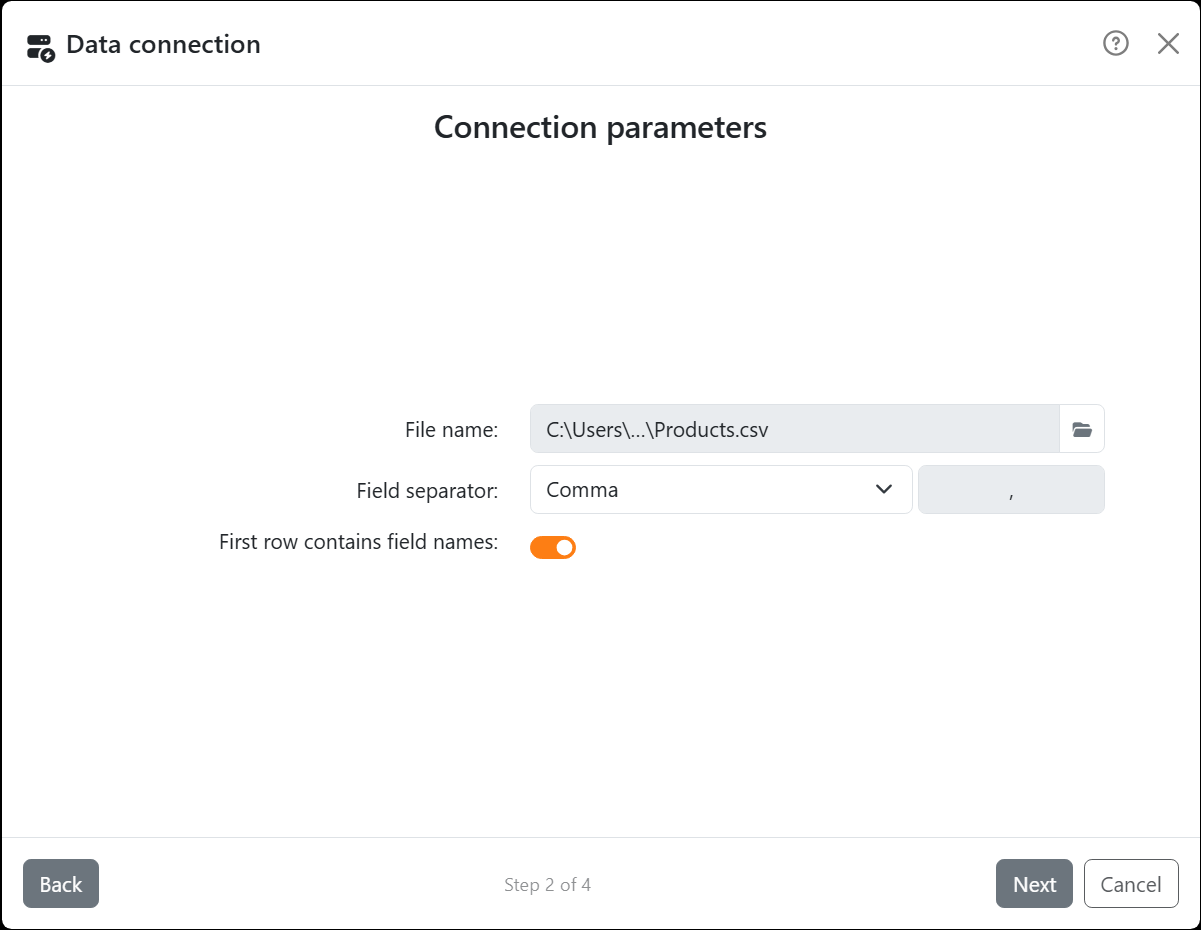
| Connection parameters | |
| File name | The file. Pick it with the folder button next to the box. |
| Field separator | What separates the values: Tab, Semicolon, Comma, Pipe, Space or Other. For Other, type it in the box next to the list. |
| First row contains field names | On when the first line holds the column titles. Off, every line is data and the fields are called Column1, Column2 and so on. |
| How the file is read | |
| Quotes | With a comma, a semicolon or a tab between the values, a value in double quotes can hold the separator, or a line break: "Red pen, fine" is one value, and the quotes aren't part of it. With any other separator, quotes are read as they are, as part of the value. |
| Spaces | Spaces before and after a value are left out. |
| Empty lines | Skipped. A line with only separators in it is a row with empty values - Skip empty rows, in the wizard's options, leaves those out too. |
| Accented letters | Labeljoy works out how the file is encoded, so an accented letter comes through as it should. UTF-8 is the safest choice when you save it. |
Everything in a text file is text, numbers too. When you filter a field of numbers, it compares them as text.




























