
QR Code is the 2D barcode phones are made to read, and most hand-held scanners and other 2D barcode readers read it too: point a phone's camera at it and it opens a link, adds a contact or joins a Wi-Fi network. It holds a lot, in any language, and still reads with a good part of it damaged. Labeljoy also makes Micro QR, a much smaller version for small items with little to say.
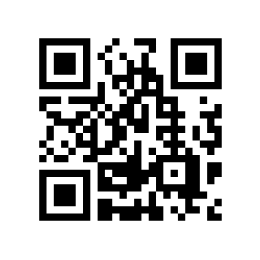 QR Code | 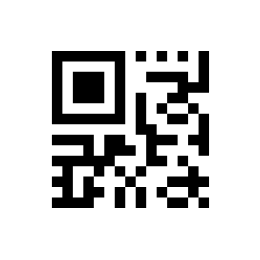 Micro QR (M3) |
| What it holds | |
| Characters | Any: letters of every alphabet, symbols, emoji. |
| Length | With Error correction L, up to 7,089 digits, 4,296 capital letters and digits, or 2,953 other characters - an accented letter counts as two, a Chinese character as three. With H, less than half that. |
| Error correction | L, M, Q or H: about 7%, 15%, 25% or 30% of the symbol can be lost and it still reads. |
| Readable text | None. |
| Settings | |
| Size | Automatic size picks the smallest QR Code the value fits, from 1 (21 x 21 squares) to 40 (177 x 177). A number from 1 to 40 fixes it, and a value that doesn't fit shows an error. M1 to M4 make a Micro QR - see below. |
| Error correction | L, M, Q or H. With a fixed Size it's greyed out and set to L. |
| Encoding | Standard, GS1 or HIBC: see GS1 and HIBC data. |
| Character Set | Default character set and UTF-8 are the same here, and what phones expect. ASCII and ISO 8859-1 (Latin-1) hold fewer characters: choose one only if your scanner asks for it. |
Micro QR. M1 to M4 are much smaller than a QR Code, with a single corner square - for a short code on a small part. Phones don't read them: you need a scanner that does. M1 holds up to 5 digits; M2 10 digits or 6 capital letters; M3 23 digits, 14 capitals or 9 other characters; M4 35, 21 or 15. A value too long for the size you chose gets the next one, and past M4 it becomes a QR Code. Micro QR has no GS1 or HIBC: with those, a QR Code is made.
Characters you can't type. With Encoding set to Standard, a tilde followed by three digits is
the character with that code - ~013 is a carriage return - and ~~ is a tilde.
For a contact, a Wi-Fi network, an event or a payment, the 2D Barcode Wizard writes the value for you. The rest of the settings - quiet zone, color - are in the Barcode section.
| What goes wrong | |
| Input data too long for selected error correction level. | The value doesn't fit even the largest QR Code with that Error correction: choose a lower one, or shorten the value. |
| Input too long for selected symbol size. | The value doesn't fit the Size you chose: choose a bigger one, or Automatic size. |
| Some characters don't fit in this character set: choose UTF-8 in Character Set. | Character Set is ASCII or ISO 8859-1 (Latin-1), and the value has a character it can't hold. |
See also




























