
Every request you send to Joy, the AI assistant uses one credit. This page explains what counts as a request, where your credits come from and what happens when they run out.
| What uses a credit | |
| A request | One credit, however many steps Joy takes to do it - reading the label, changing it, checking it again. |
| A picture Joy draws | Nothing extra: it's part of the request that asked for it. Joy draws one per request, so a second picture, or another try, is a new request. |
| A request you stop | Still uses its credit. It's charged as soon as Joy starts working on it. |
| Free | Remove this exchange, Clear the conversation, the rating card, and a request that never gets through - when Joy can't be reached, for example. |
How many you have left is at the bottom right of the panel: credits left. Hold the mouse over it to see how many come with your license, how many you've bought, and when the included ones renew. It turns red when five or fewer are left.
| Where credits come from | |
| Included | Your license comes with an allowance of credits, which renews regularly. Joy uses these first. |
| Purchased | Credits you buy on top. They never expire, and Joy uses them once the included ones have run out. |
| One license, one allowance | The credits belong to the license, not to a computer: everyone using the same license shares them. |
| The demo | Comes with a few credits, so you can try Joy before you buy a license. |
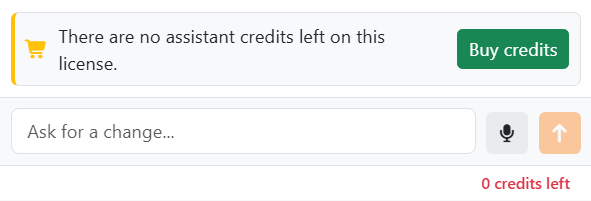
When they run out, a notice above the box says so, and Send is greyed out until you have credits again. Whatever you'd typed stays in the box. Click Buy credits to buy more on labeljoy.com. In the demo, the notice suggests buying your license instead, and the button is Buy a license.
You don't need to restart anything: when you come back to Labeljoy after buying, the panel checks again, and the notice goes away once there's a credit to use.




























