
The Barcode section turns an element into a barcode - any of 66 symbologies and variations, from the Code 128 and EAN of shop shelves to QR codes and postal barcodes.
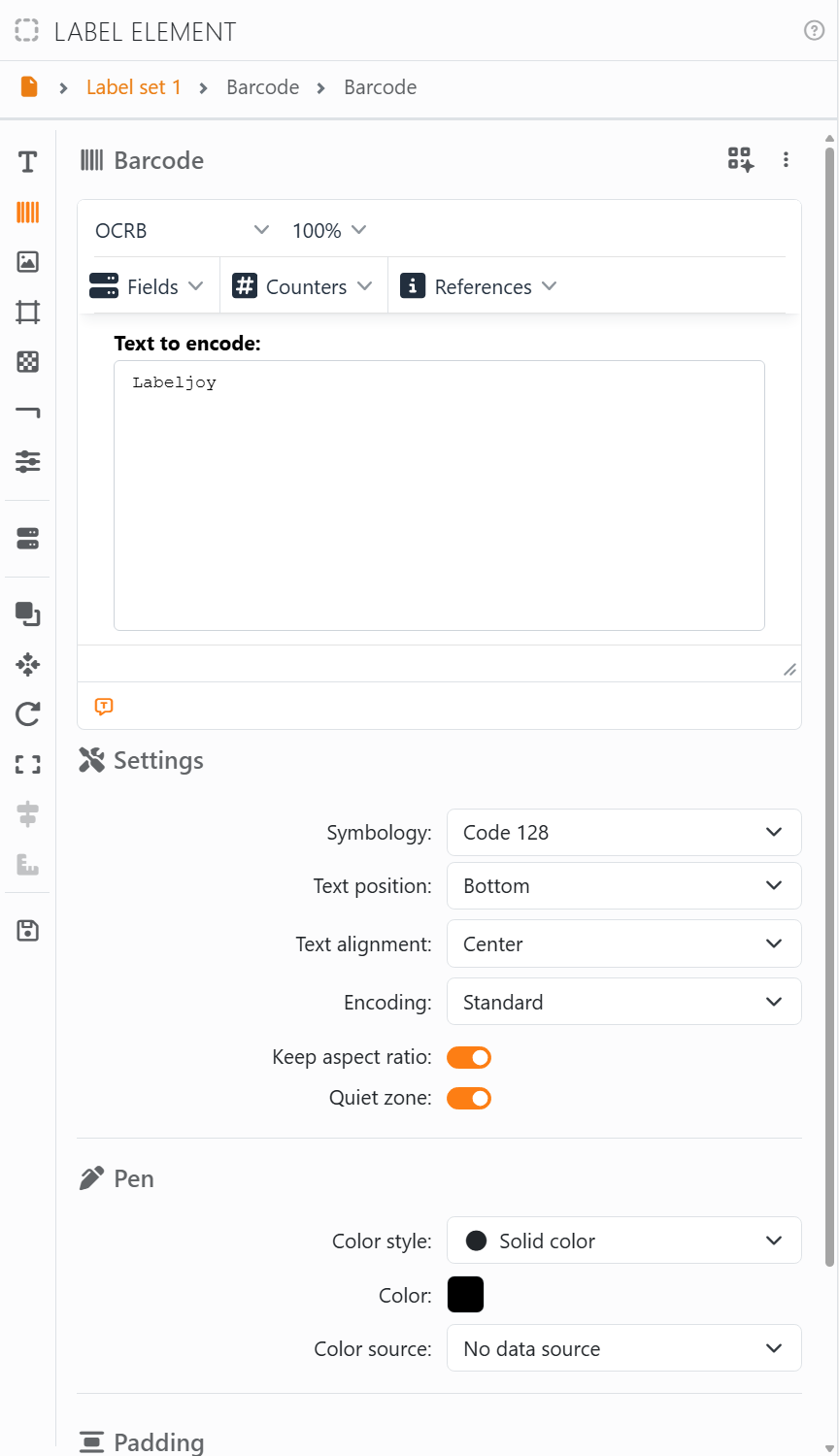
Text to encode is what the barcode holds. Type it, or put in fields, counters and references from the menus above it, as in the text editor - so each label gets its own barcode. For EAN, UPC and ISBN there's also EAN/UPC add-on, for the optional 2 or 5 extra digits. The font and size above apply to the barcode's readable line.
| Settings | |
| Symbology | The kind of barcode, in groups: Linear, 2D, Postal, Stacked and Pharmaceutical. Click the pin next to one to add it to Favorites, at the top. Each has its own page: see Barcode symbologies. |
| Mode | For the barcodes that come in more than one version - EAN 8 or EAN 13, UPC A or UPC E, the kinds of Databar and Code 2 of 5, and so on. |
| Text position, Text alignment | Where the barcode prints its value in clear: Bottom, Top or Hidden, and lined up left, center, right or justified. Most 2D barcodes have no readable line. |
| Size, Error correction | For 2D barcodes: the symbol's size, Automatic size or a fixed one, and how much of it may be damaged and still read. For a QR code, M1 to M4 are the small Micro QR sizes. |
| Check digit | For the barcodes where it's optional: No check digit, Barcode and text or Barcode only. EAN and UPC always work theirs out, and check the one you type. |
| Bearer bars | For ITF 14 and Code 2 of 5: bars along the top and bottom, or a whole frame, that protect the barcode when it's printed on a box. |
| Encoding | Standard, or GS1 and HIBC for the barcodes that support them: see GS1 and HIBC data. |
| Character Set | For QR Code, Han Xin Code and Grid Matrix: how letters outside plain English are stored. Default character set is UTF-8 for a QR Code, which is what phones read, and the Chinese standard for the other two. |
| Keep aspect ratio | Keeps the bars in proportion when you resize the element. 2D barcodes always keep it. |
| Quiet zone | The white margin a scanner needs round the barcode. Leave it on unless you've made room for it yourself. |
| Pen | The color of the bars. Dark on a light background scans best. Ultracode has none: it's printed in its own colors. |
| Padding | Space round the barcode inside the element. See Padding. |
When the value doesn't fit the barcode - letters in a barcode that only takes digits, say, or too many characters - the element shows a red ❌ with what's wrong, such as Invalid characters in input data. or Input data too long. It's shown on screen only: nothing prints until the value is right.
The button with the four squares, at the top right of the section, opens the 2D Barcode Wizard, which builds a QR code for a business card, a Wi-Fi network, an email and more.
See also




























