
The home screen is where Labeljoy starts, and where you come back to when no document is open. It's also a click away while you work: the house at the left of the document tabs shows it without closing anything.
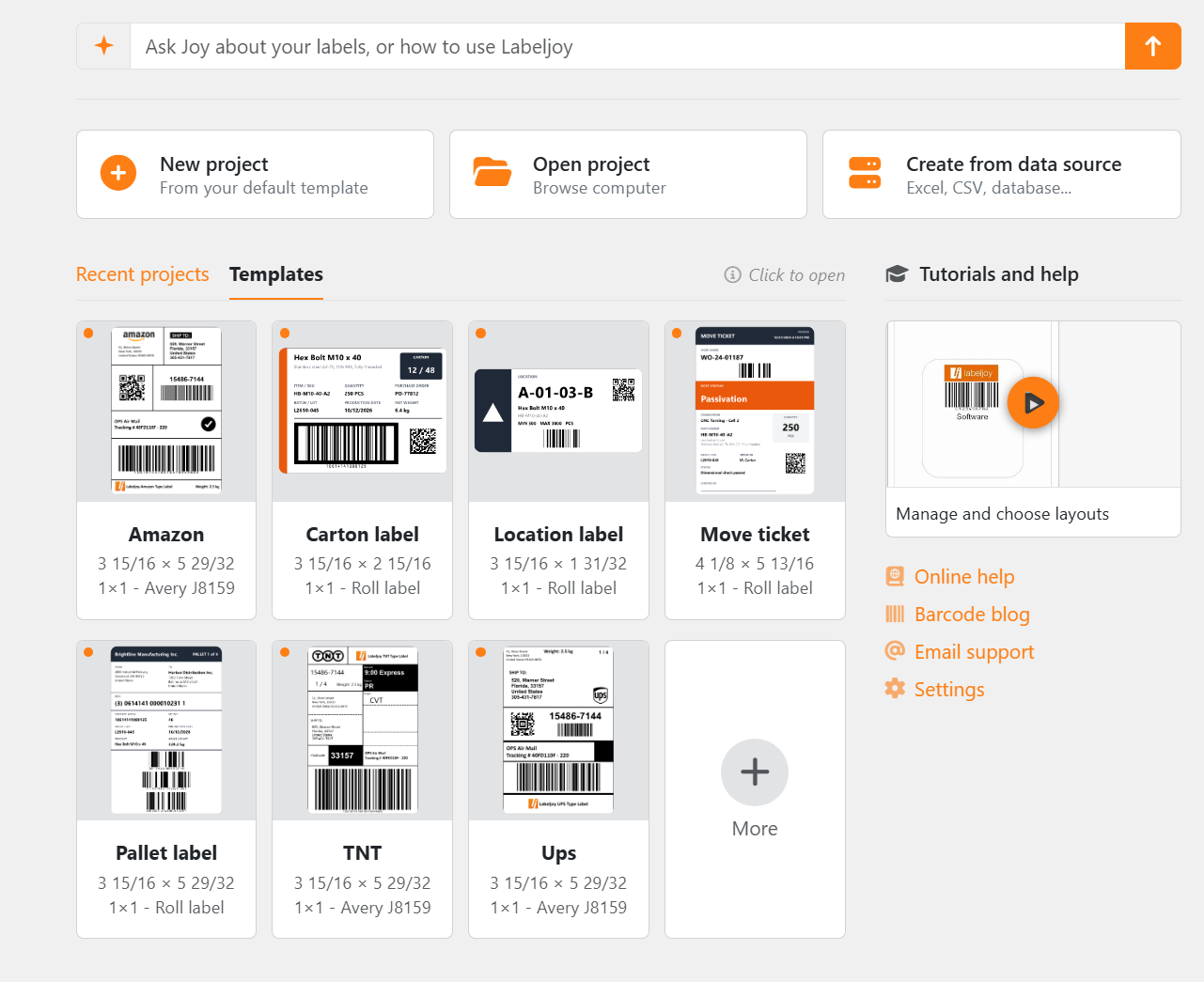
Ask, at the top: type a question - about your labels, or about using Labeljoy - and Joy, the AI assistant, opens with it and answers.
| Start something | |
| New project | A new document from your default template - the same as Ctrl+N. For other ways to start, see the New panel. |
| Open project | Opens a document from your computer. |
| Create from data source | Starts a document from your data - a spreadsheet, a text file, a database - with the Data connection wizard. Cancel the wizard and nothing is created. |
| Recent projects and Templates | |
| Recent projects | The documents you've opened or saved lately, with a preview of each. With none yet, it offers Browse computer and Start from a template instead - or drop a Labeljoy file on it. |
| Templates | Ready-made documents to start from, yours and Labeljoy's. Labeljoy's shipping and logistics labels come first, then yours. |
| More | The last card, when there are more than fit: it opens the whole list, in the Open panel or the New panel. It's dimmed while that panel is already open beside it. |
Click a card to open it. A small orange dot in a card's corner means the document or template is connected to a data source. Labeljoy starts on Recent projects when you have some, and on Templates the very first time.
| Tutorials and help | |
| The video | One of Labeljoy's video tutorials, a different one every time you start. Click it to watch. |
| Online help | This manual. |
| Barcode blog | Articles about barcodes and labels, on the Labeljoy website. |
| Email support | Write to us: see Email support. |
| Settings | Opens the Settings panel. |
In a copy of Labeljoy that isn't activated, the home screen also says You are using the demo: everything you print or export carries a DEMO watermark, and you can save only a limited number of times. Buy a license takes you to the shop, and I already have a code opens Settings at Activation, ready for you to type it. When a Care+ subscription is about to run out, or has, the same place offers Renew Care+. See Demo, activation and Care+.




























