
The Open panel gets you back to your documents: find one on your computer, or pick one you've used recently. Open it with the second button of the toolbar.
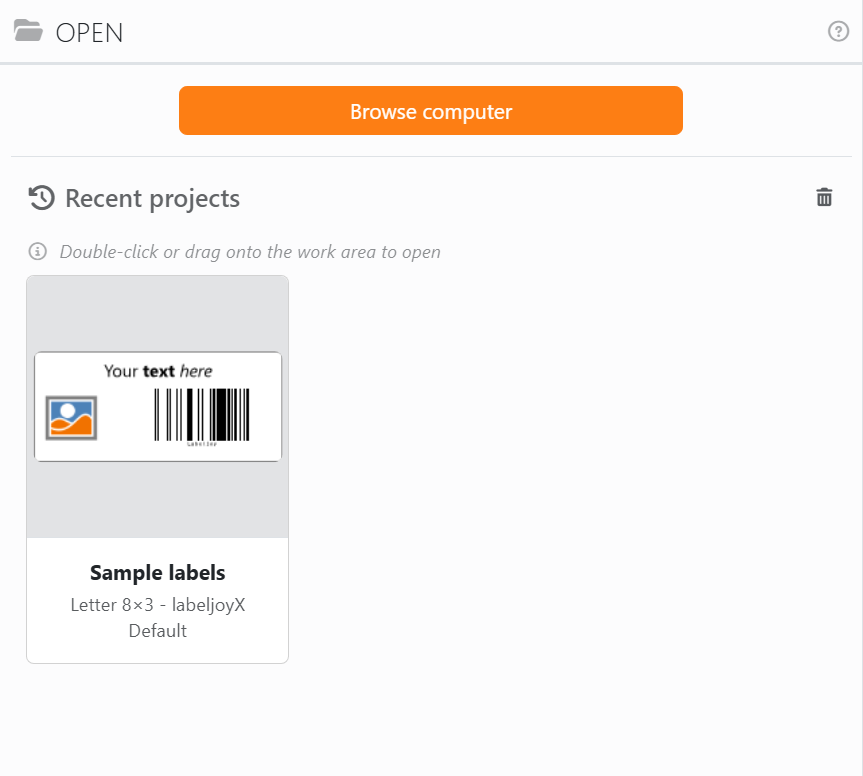
Browse computer opens the usual window for picking a file. You can pick several documents at once, up to 15. Labeljoy starts in the folder you used last time, and the very first time in Documents\Labeljoy.
Recent projects lists the documents you've opened or saved, newest first, up to 32 of them. Each card shows a preview, the name, the paper and the layout; rest the mouse on it to see the folder it's in. A small orange dot in the corner means the document is connected to a data source. Documents that no longer exist drop off the list by themselves.
| Using the recent projects | |
| Double-click a card | Opens the document. |
| Drag a card onto the work area | Does the same. |
| × on a card | Takes the document off the list, after asking. The document itself stays where it is. |
| The bin, top right | Clears the whole list, after asking. |
You can also open documents by dropping them onto the work area from a folder, or onto the home screen. Or just double-click one in its folder: if Labeljoy is already running, the document opens in a new tab of the same window - see One window for all your documents.
If the document is already open, Labeljoy just switches to its tab: you never get two copies of the same document.
A document with a password. If a document asks for a password to open it, Labeljoy asks for it before it opens. Type it and click OK: if it's wrong, you can try again as many times as you like. Cancel leaves the document closed. See Protecting a document for the other kinds of protection.




























