
A book's barcode is an EAN 13 whose number is the book's ISBN, starting with 978 or 979. Labeljoy prints the ISBN in clear above the bars, as publishers do.
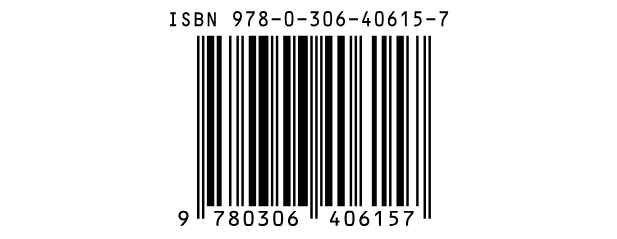 ISBN | 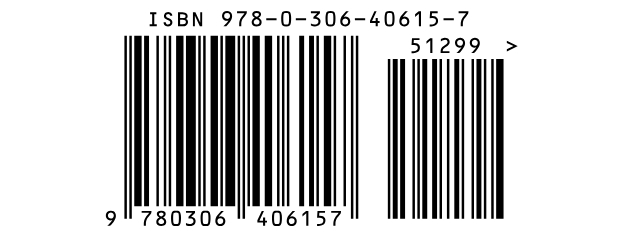 ISBN with a 5-digit price add-on |
| What it holds | |
| Characters | Digits, with or without hyphens or spaces. An ISBN-10 can end in X. |
| Length | An ISBN-13 - 13 digits, or 12 without the check digit - or an older ISBN-10: 10 digits, or 9. Labeljoy turns an ISBN-10 into the ISBN-13 that a barcode carries. |
| Check digit | Always there. Type it or leave it out: Labeljoy works it out, and if you typed one it checks that it's right. |
| Readable text | The 13 digits under the bars and the line "ISBN" above them - or the other way round, with Text position set to Top. |
The hyphens. Where the hyphens go in an ISBN depends on the country and the
publisher, so Labeljoy can't work them out: type the ISBN with its hyphens, 978-0-306-40615-7, and the
line above the bars shows them. Typed without, it shows the digits alone.
The price. EAN/UPC add-on, under the text to encode, adds the 5-digit add-on some book trades use for the price - for example 5 followed by the price in US dollar cents, or 90000 for no price.
The rest of the settings are in the Barcode section. While the digits are printed the margins are part of the barcode, so the Quiet zone switch shows only with Text position set to Hidden.
| What goes wrong | |
| Invalid check digit. | The last digit you typed isn't the right check digit for the others - often a sign of a mistyped ISBN. |
| An ISBN starts with 978 or 979. | A 12 or 13-digit value that isn't an ISBN. For another product number, use EAN. |
| Invalid data in input. | A character other than digits, hyphens and spaces - or an X anywhere but at the end of an ISBN-10. |
| Invalid number of characters in the input data. | The value isn't 9, 10, 12 or 13 digits long. |
| The EAN/UPC add-on must be 2 or 5 digits. | The add-on is the wrong length, or not all digits. |
See also




























